
Acrobits: VoIP SIP Softphone
Acrobits, s.r.o.Communication
4.0130.00 Reviews
- Version
- 25.3.69
- Installs
- 10.00K
- Age Rating
- Everyone
Screenshots
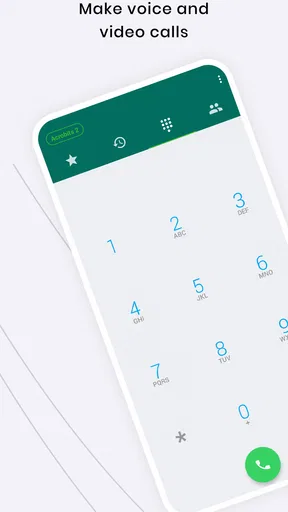
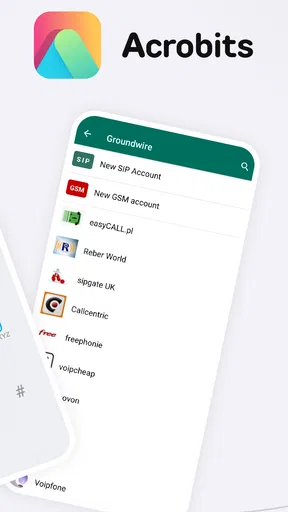

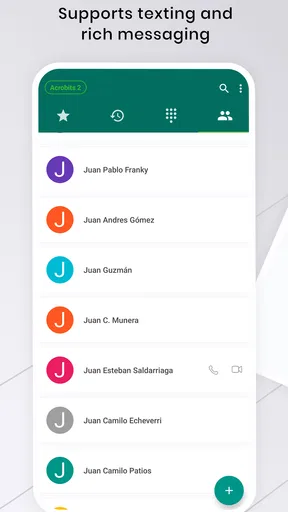
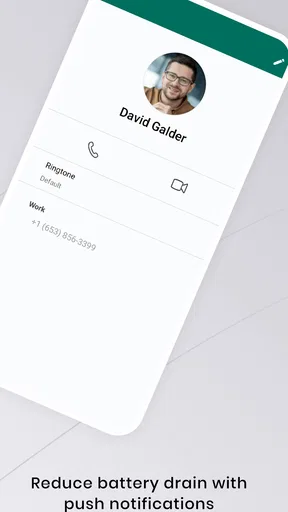
Our Review of Acrobits: VoIP SIP Softphone
 Analysis by Appyee
I would not begin with the call-quality promise; I would begin with the account you plan to use. Acrobits: VoIP SIP Softphone is a communication app from Acrobits, s.r.o., built around SIP calling rather than a standalone chat network. That distinction matters: it can be a useful front end for an existing VoIP service, but it is not a substitute for having a SIP account and a provider that can route your calls. If you are trying to make an ordinary mobile call without arranging that first, the setup may feel like an unnecessary extra step.
Where SIP setup can trip you up
The app’s main hurdle is not placing a call after everything is working; it is getting the account details right in the first place. A SIP username, password, and server information need to match what your provider expects. If one field is mistyped or belongs to an old account, registration may fail even though the app itself opens normally. I would copy details carefully and check for spaces at the beginning or end before assuming there is a deeper problem.
It also helps to separate account setup from call routing. An account can appear configured while calls still fail because the provider has not enabled the destination, the dialed number is in an unexpected format, or the network connection is unstable. When testing, use a destination you know the provider supports and enter it in the format the provider recommends. That makes the result easier to interpret than repeatedly changing several settings at once.
People who already use a SIP service will likely understand the trade-off quickly: a softphone gives them another way to reach that service, but it does not remove the provider’s rules or costs. Newcomers should be prepared to learn a little terminology. I find that manageable if there is a clear reason to use VoIP, but it is less appealing if the goal is simply to install an app and call anyone immediately.
Checks I would make before relying on it
Before making an important call, I would confirm that the SIP account is registered and test both sides of a conversation: whether the other person can hear me and whether I can hear them. A brief test call can expose a microphone permission problem, a muted audio route, or a connection issue while there is still time to fix it. If the app is being used through headphones or a car’s audio system, I would test that exact arrangement rather than assuming the phone’s speaker test tells the whole story.
Network choice matters too. VoIP depends on data connectivity, so a call that works reliably on Wi-Fi may behave differently on mobile data, or the other way around. I would test in the places where I expect to use the app, especially before traveling. A strong signal icon alone does not guarantee that the connection is steady enough for a conversation, and switching networks during a call can interrupt audio.
Push notifications are useful for incoming calls, but they make it sensible to check the app’s notification settings and the phone’s own battery or background restrictions. If a call arrives only while the app is open, I would look at those phone-level settings as well as the SIP account. That is a more practical first move than deleting the account and rebuilding it from scratch.
Using Acrobits in everyday calling
A realistic use for me would be keeping a work or travel SIP account available without making it the phone number I use for everything. I could use the regular dialer for ordinary calls, then open the softphone when I need to reach someone through that provider. This keeps the purpose clear and makes it easier to notice whether a problem belongs to the app, the account, or the mobile network.
Features That Make a Difference
Once I got into the app, the features were what really caught my attention. Acrobits offers a range of functionalities that make it stand out in the crowded field of VoIP apps:
- Crystal Clear Calls: One of the first things I noticed was the call quality. It’s like chatting with someone right next to you. Their audio codecs seem to do the trick, ensuring that every call is as clear as a bell.
- Customizable Interface: I loved how I could tailor the app to suit my style. With options to change themes and layouts, it felt like I was using an app designed just for me.
- Push Notifications: I never miss a call, thanks to the push notifications. Even when the app is closed, it keeps me updated, so I’m always reachable.
- Secure Communication: In this day and age, security is paramount. Acrobits offers encryption to keep conversations private, which is a huge plus.
- Call Recording: Need to remember details from a call? The call recording feature ensures I can revisit conversations whenever I need.
Real-World Usage
After using Acrobits for a few weeks, I found myself relying on it more than I initially expected. Whether it was for personal or business calls, the app never failed me. I was particularly impressed during my travels. Roaming charges can be a nightmare, but with Acrobits, I stayed connected to my contacts across the globe without breaking the bank.
Another aspect worth mentioning is battery efficiency. Some VoIP apps can be notorious for draining your phone's battery, but Acrobits seems to have struck a good balance. I could use it throughout the day without worrying about running out of juice.
Making the workflow easier to recover
If a call drops or arrives without usable audio, I would avoid changing multiple settings in a hurry. First, I would end the call and make a new test call on the same network. If that works, the original interruption may have been temporary. If it does not, I would check whether the account is still registered, then test a different network and confirm the audio route. Changing one thing at a time gives a much better clue than starting over with every setting.
For incoming-call trouble, I would check the notification path separately from outgoing calling. Place an outgoing test call, then close the app and ask someone to try calling the SIP account. If outgoing calls work but incoming calls do not reach the phone, that points toward registration, background behavior, or the provider’s handling of incoming calls rather than a general audio failure. It is a small diagnostic routine, but it can save a lot of needless account resets.
Call recording can be useful when the other person gives a reference number or a list of instructions, but I would treat it as a deliberate workflow rather than something to switch on casually. Tell the other participant when appropriate, and check that the recording is actually available before relying on it as your only record. For sensitive work, I would also consider whether keeping a recording on the phone fits the way I handle private information.
When another calling option is a better fit
Compared with the usual alternatives, this app sits in a different lane from mainstream messaging apps. Those services are often easier when both people already use the same platform, because contacts and calling are tied to that network. A SIP softphone makes more sense when you already have a provider or need to use a SIP account; it is less convenient if your friends and family expect calls through a familiar social app.
The built-in phone dialer is also the simpler choice for routine calls that should use the mobile service attached to your number. It does not ask you to manage a SIP account or rely on data in the same way. On the other hand, people who need a separate VoIP identity, or who already pay for a SIP service, may value having that account accessible from the phone. The right choice depends less on which app has the longest feature list and more on where your contacts can be reached.
I would skip Acrobits if I want a zero-setup calling app, have no SIP provider in mind, or need every call to work without a data connection. I would also be cautious about making it my sole route for urgent communication before testing it in my regular locations. For a frequent traveler, remote worker, or small business user with a working SIP account, though, that extra setup can be worthwhile because it keeps provider-based calling close at hand.
When the phone or provider may be the cause
Not every failed call is an app fault. If calls fail only on one Wi-Fi network, the network may be restricting or disrupting VoIP traffic. If the problem follows the account across devices or networks, the provider’s service or account configuration deserves attention. And if the other person cannot hear you only when using a particular headset, I would test the phone’s audio route before blaming the softphone.
A useful rule is to compare one variable at a time: the same account on another connection, or the same connection with another supported calling method. I would also note whether the issue affects incoming calls, outgoing calls, or audio in both directions. Those details help a provider or support contact narrow down the cause, and they keep troubleshooting from turning into random setting changes.
Acrobits is a paid app at $6.99, so I would decide whether its role in my calling routine justifies that cost before buying. It has an Everyone age rating, an average rating of 4.0 from around 1.1 thousand ratings, and more than 10 thousand installs. Those figures suggest an established niche, but they do not replace checking that the app suits your own SIP service. Its release date is February 2, 2011, and version 25.3.69 lists Android 7.0 as the minimum operating system, details worth checking against an older device before planning around it.
Why You Should Consider It
If you're someone who frequently makes international calls or just wants a reliable alternative to traditional phone services, Acrobits is worth considering. It’s not just about cost-saving; it’s about convenience and quality. The app combines these elements seamlessly, making it a must-have for anyone serious about VoIP.
Of course, no app is perfect. While Acrobits impressed me with its range of features and reliability, it's always good to explore and see if it fits your specific needs. The good thing is, you can try it out risk-free and decide for yourself.
So, if you're ready to transform your calling experience, give Acrobits: VoIP SIP Softphone a shot. It might just be the communication upgrade you didn’t know you needed.
Verdict
Strengths of Acrobits: VoIP SIP Softphone
- User-friendly interface with intuitive navigation.
- High call quality over various network conditions.
- Customizable settings for personalized use.
- Supports multiple SIP accounts seamlessly.
- Excellent customer support response time.
Limitations of Acrobits: VoIP SIP Softphone
- Limited free version features.
- Advanced features require in-app purchases.
- Occasional connectivity issues.
- Complex initial setup for beginners.
- No integrated messaging feature.
Other Releases by Acrobits, s.r.o.
View All
Groundwire: VoIP SIP Softphone
Communication3.4
Similar Picks in This Category
View All
Google Messages
Google LLC4.6

Gmail
Google LLC4.1

Google Meet
Google LLC4.4

Google Chrome
Google LLC4.1

WhatsApp Messenger
WhatsApp LLC4.6

Carrier Services
Google LLC4.2
Frequently Asked Questions
What is Acrobits: VoIP SIP Softphone?
Acrobits: VoIP SIP Softphone is a mobile application designed for both Android and iOS devices that allows users to make VoIP calls through a SIP provider. It provides features like call recording, push notifications, and excellent call quality, making it ideal for both personal and professional use. Users can connect their existing SIP accounts and utilize the app's advanced features to enhance their communication experience.
Is Acrobits: VoIP SIP Softphone compatible with all SIP providers?
Yes, Acrobits: VoIP SIP Softphone is compatible with most SIP providers. It supports standard SIP protocols, allowing users to connect their existing SIP accounts from various providers. However, it’s recommended to check with your specific provider for any unique configurations or settings required to ensure seamless integration and optimal performance.
What are the main features of Acrobits: VoIP SIP Softphone?
Acrobits: VoIP SIP Softphone boasts a variety of features such as high-definition call quality, call recording, customizable ringtones, and secure communication through SRTP and ZRTP encryption. Additionally, it offers push notifications for incoming calls, integration with contacts, and the ability to handle multiple SIP accounts, making it a versatile tool for managing communications.
Does Acrobits: VoIP SIP Softphone offer call encryption?
Yes, Acrobits: VoIP SIP Softphone offers secure call encryption using SRTP and ZRTP protocols. This ensures that your calls remain private and protected from potential eavesdropping. These encryption standards are crucial for users who prioritize security, especially when handling sensitive or confidential information over VoIP calls.
Is there a cost associated with using Acrobits: VoIP SIP Softphone?
Acrobits: VoIP SIP Softphone is a paid app, and users need to purchase it from the Google Play Store or Apple App Store. While the app itself requires an upfront payment, there are no subscription fees. However, users may incur charges from their SIP providers, depending on the call rates and services offered by those providers.
